How it works
See every ship approaching your facilities. And know who to contact.
To win the work you need two things: which ships are heading your way, and who to contact behind each one. By hand that's a morning of tab-hopping, and your best leads are cold before you've even called. Vessel Hunter does it in a single scan.
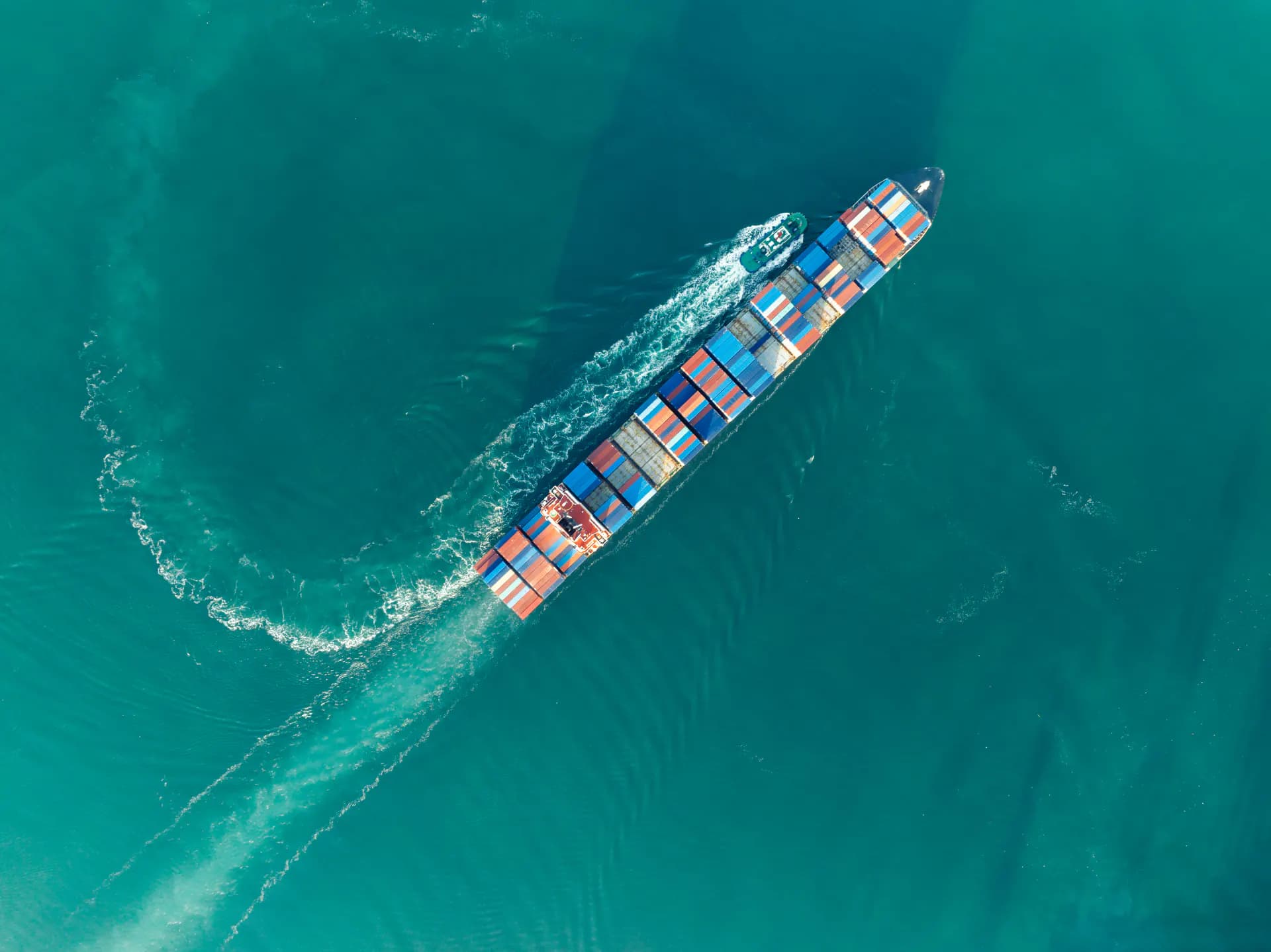
One scan, from fleet to contacts
Finding out what is heading your way, and who to call about it, used to swallow whole mornings. It is the work Vessel Hunter is built to make easy. Pick the fleets or ports you want to target, select the facilities you cover, run the scan, and minutes later the inbound list is in front of you, every ship paired with the people behind it.
- 01
Pick your target
Start from a port directly, one company's fleet or several fleets from our verified database, or a custom list you upload. It all stays private and secure.
- 02
Set your facilities
Add the ports, terminals, and yards you cover. These become the zones the scan watches, keeping everything quick and neatly organised.
- 03
Run the scan
One click checks every facility you watch against the live AIS feed and surfaces the ships from your target that are already there or on their way, each with its details attached.
- 04
Read the inbound list
A few minutes after you run the scan, the results land: every match ranked by ETA, with destination and distance. An afternoon of manual cross-referencing, done in the time it takes to read the list.
- 05
Reach the decision-maker
Each ship arrives with its full history and details, and the contacts at the company behind it. You see who decides, not just what is moving. Email them, call them, the lead is yours.
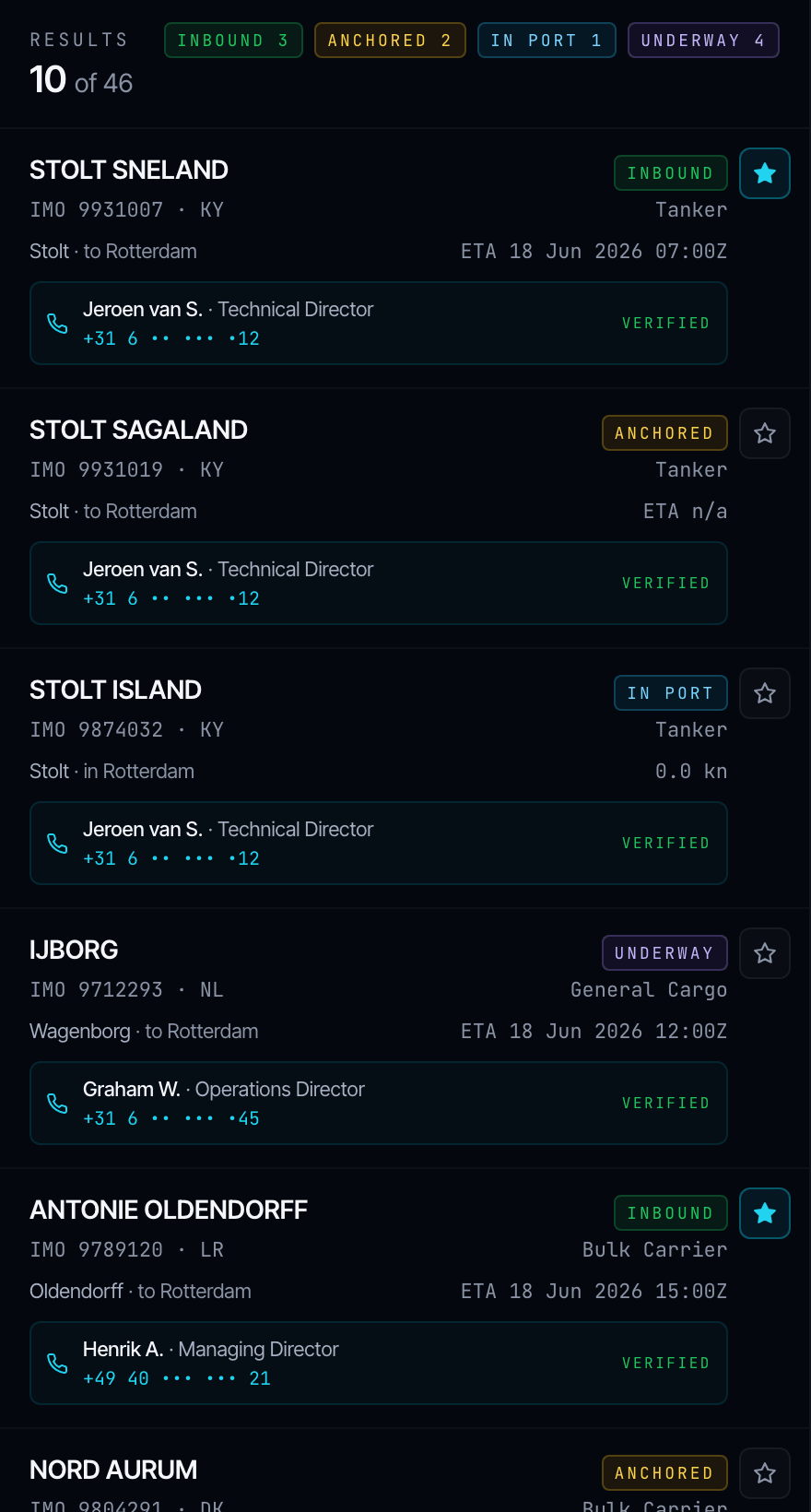
If it is on the list, it is really there. The scan only shows ships inside your approach radius right now, the moment they cross the line, never a forecast.
What the scan reads from
Everything that feeds that one click
A full dossier behind every vessel
Open any ship in the inbound list and its dossier unfolds: specs, engine, the ownership tree, port-state inspections, dry-dock history, casualties, and class standing. On top sits a risk read: a risk score, sanctions screening on the vessel and its owner, and dark-fleet flags. It is the commercial layer raw AIS never carries, and it tells you whether an approaching ship is one to win, or one to keep clear of.
The people layer
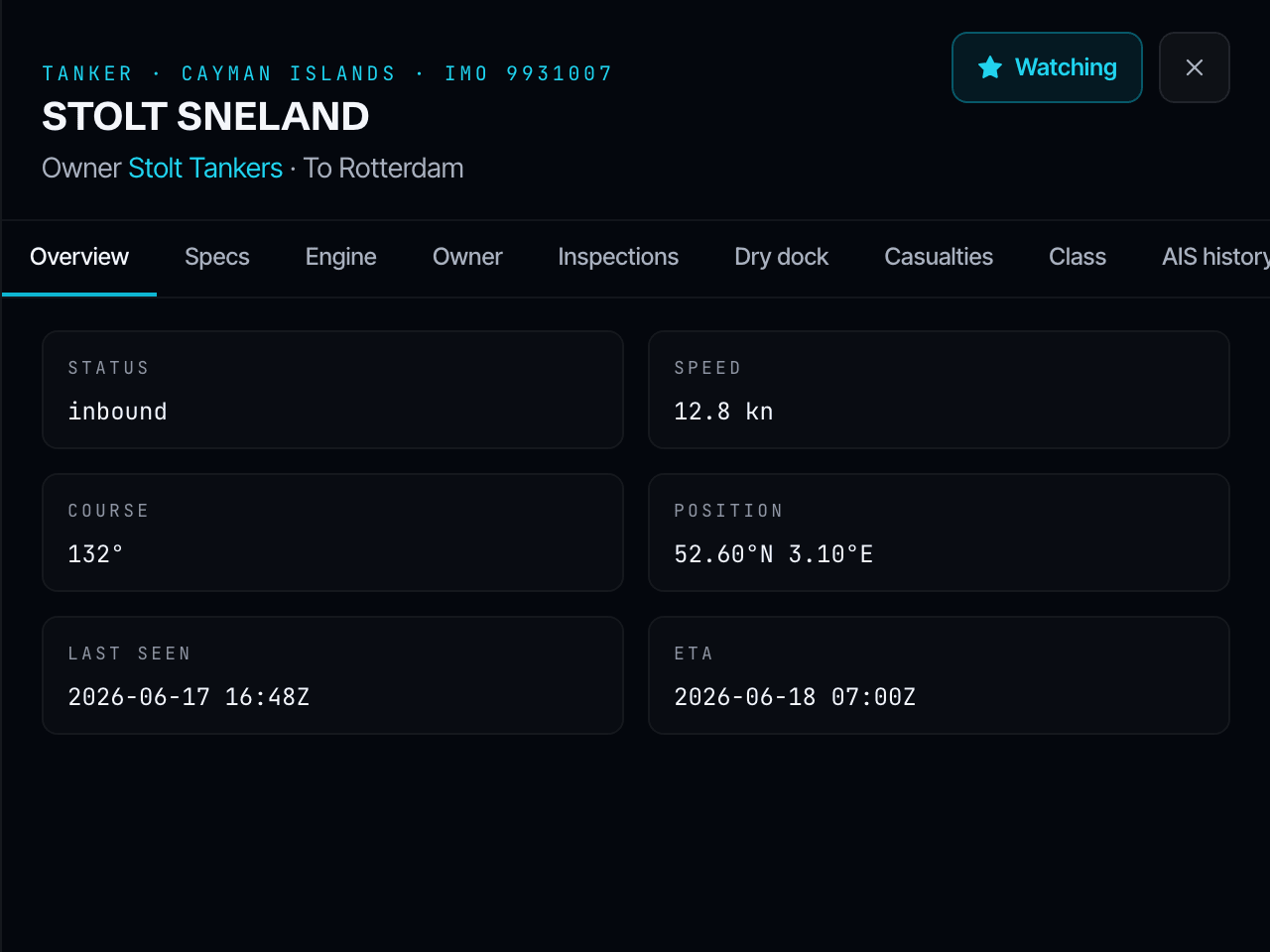
Every ship is tied to the company that owns, manages, and operates it, and to the decision-maker behind each role: procurement, technical, operations, agency. Each contact carries a role label and a last-verified date. Most AIS providers stop at the position. We try to bring you the people who sign.
The live AIS feed underneath it
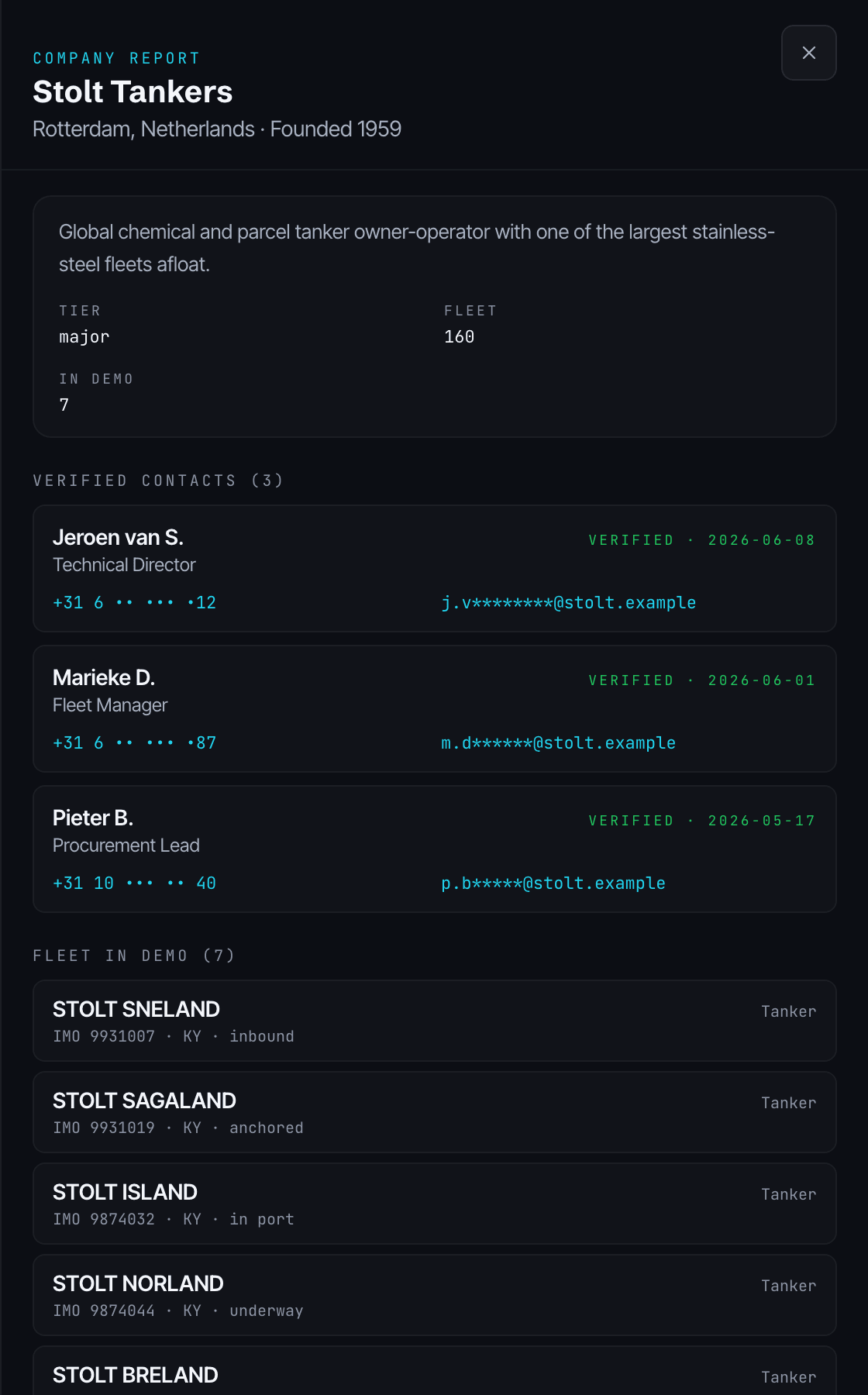
A normalised, continuously updated AIS layer: position, course, speed, and navigational status for every commercial vessel under coverage, fused from terrestrial and satellite receivers. Filter inbound traffic by country, region, port, terminal, or your own geofence.
Watchlists and alerts
For when you would rather be told than scan. Save an operator, port, region, vessel type, or set of hulls and get alerted on zone enter, zone leave, inbound ETA, AIS gap, casualty, for sale, new registration, certificate expiry, or a vessel heading to port, by email, web push, or Slack.
When the transponder goes dark
AIS is not always on. Vessel Hunter reconstructs an inferred route from port-state filings, satellite radar, and class records, with a confidence score and an evidence chain, so a ship that drops AIS does not drop off your radar.
- Vessel records
- 2,383,134
- Companies
- 69,182
- Ports
- 29,076
Our live database, as of 2026, and growing.
Vessel Hunter on the go
Security and compliance
Built to be trusted with your pipeline
- GDPR readysign a DPA with your order
- SOC 2 Type IIin progress
- Sanctions & dark-fleet screening
- Encrypted in transit, audit-logged access
More in our privacy approach and DPA.
FAQ
The questions we get most
Behind every ship is a company, and someone who decides where it docks next. Vessel Hunter shows you the ships headed your way, and who to call.
Built for the teams that meet the ship
Vessel Hunter is shaped around the work of shipyards, service providers, and port agents: the people who need to know what is coming, and who to reach, before anyone else does.